
What Is SMS OTP? How It Works, Real-World Use Cases & A Complete Guide to Registering and Using SMS OTP Services
As information security and personal account protection become increasingly important, the term SMS OTP has become familiar to nearly every internet user. SMS OTP acts as one of the most common “first shields,” ensuring that only the legitimate owner can access an account or approve sensitive transactions.
This article provides a comprehensive overview of what SMS OTP is (a one-time verification code delivered via SMS), how it works, its real-world applications, and a detailed guide for both individuals and businesses on how to register and use SMS OTP services safely and effectively. We also introduce OTPNhanh’s advanced OTP rental solution as a tool to optimize verification workflows.
1. What Is SMS OTP? Definition and Core Concept
1.1 Detailed Definition of SMS OTP Codes
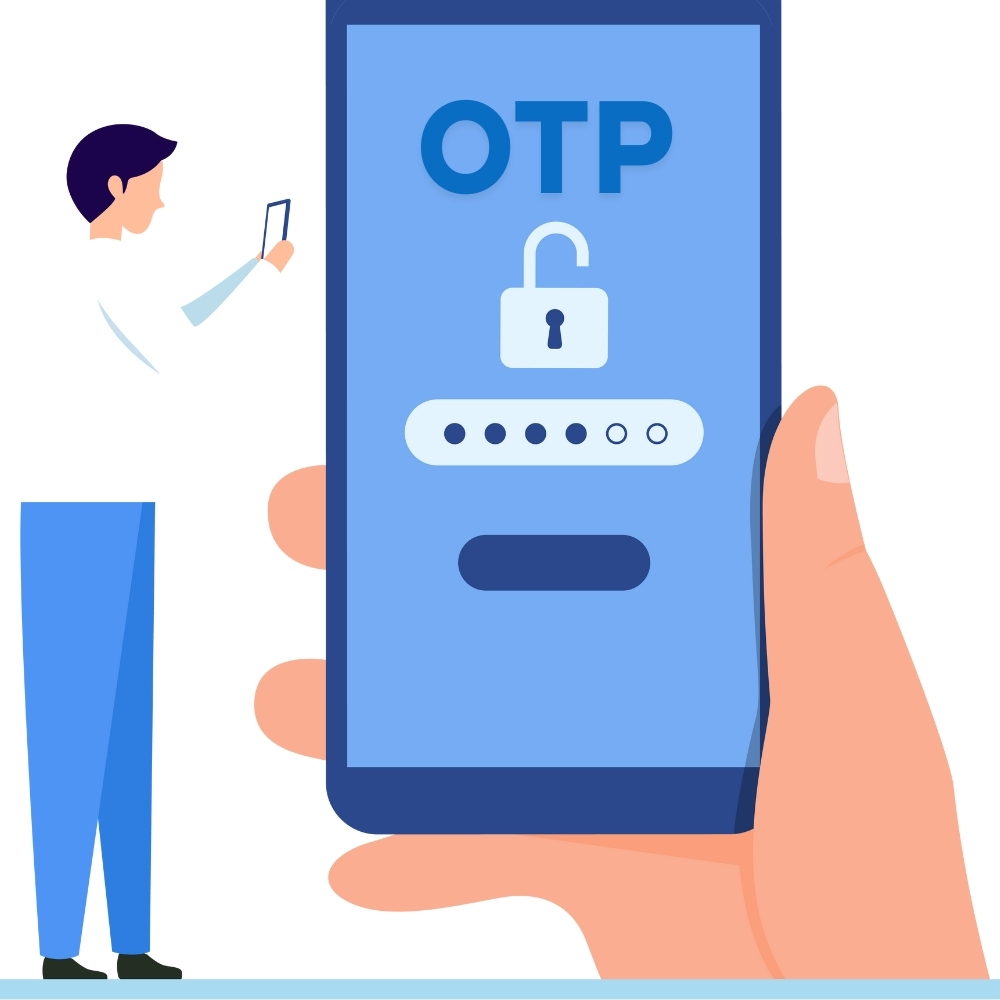
SMS OTP stands for SMS One-Time Password, which can be translated as a one-time verification code via text message.
-
One-Time: The code is valid for only one transaction or one login session. After being used or after the expiration window (typically 30 seconds to 5 minutes), it becomes invalid automatically.
-
Password: A randomly generated string (usually 4–8 digits) created by a security system.
-
SMS (Short Message Service): The delivery method—sending the code to the user via a text message on a mobile phone.
OTP codes are one of the most widely used forms of Two-Factor Authentication (2FA), adding an additional layer of security beyond a static password (username + password) set by the user.
1.2 The Role of OTP in Digital Security
-
Anti-Fraud Protection: Prevents unauthorized access even if a criminal has stolen your static password.
-
Transaction Confirmation: Ensures only the real account owner can approve sensitive actions (bank transfers, high-value purchases).
-
Account Activation: Verifies identity during initial registration for new services (Zalo, Facebook, e-commerce platforms, etc.).
2. The Technical Mechanism Behind SMS OTP Services
While entering an OTP code is simple, generating and delivering it involves a series of technical steps.
2.1 OTP Code Generation
One-Time Passwords are generated using security algorithms—typically:
-
Time-based One-Time Password (TOTP): Codes are generated based on the current server time. A new code is produced after a short interval (e.g., every 30 seconds).
-
HMAC-based One-Time Password (HOTP): Codes are generated based on a usage counter. Each successful use increments the counter.
The service system and the user-side application must be synchronized to validate codes correctly.
2.2 SMS OTP Delivery Workflow
-
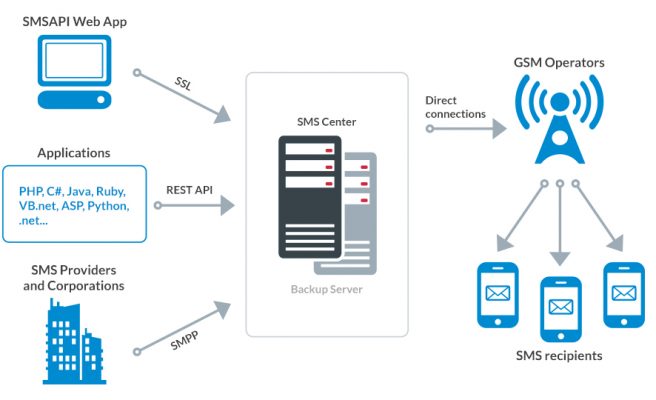
Authentication Request: The user enters a static password and taps “Login” or “Confirm Transaction.”
-
OTP Creation: The bank/website/app generates a unique OTP code.
-
SMS Sending: The OTP is sent to an SMS Gateway.
-
Carrier Processing: The SMS Gateway routes the message through the user’s mobile carrier.
-
OTP Received: The user receives the OTP via SMS on their phone.
-
Verification: The user enters the OTP. If it matches and hasn’t expired, the transaction is approved.
2.3 Advantages of SMS OTP
SMS OTP is often preferred over other methods (Email OTP, Google Authenticator, etc.) because:
-
High availability: Most people have a mobile phone and SMS service.
-
Convenience: No internet connection is required to receive OTP codes.
-
Strong security: The OTP is delivered to a single physical device.
3. How to Register and Use SMS OTP (For End Users)
Individual users usually do not “register” for SMS OTP traditionally—they enable it on each platform they use.
3.1 Enable Two-Factor Authentication (2FA)
This is the required step to use SMS OTP on most platforms:
-
Go to Security Settings: Open Account Settings / Security in an app or website (Zalo, Facebook, Banking apps, etc.).
-
Enable 2FA: Turn on Two-Factor Authentication.
-
Add Your Phone Number: Enter the phone number you want to receive OTP codes on.
-
Initial Verification: The system sends an initial verification code to confirm the number belongs to you.
-
Done: From then on, logins on new devices or sensitive actions will require OTP codes sent to that number.
3.2 Important Notes When Using SMS OTP
-
Expiration window: Enter the code quickly (before 5 minutes).
-
Never share OTPs: OTP codes are for you only. Never give them to anyone—even someone claiming to be bank or service support staff.
4. How to Register and Use SMS OTP (For Businesses)
Businesses that want to integrate SMS OTP into their apps/websites (e-commerce, fintech, game apps, etc.) typically register via third-party providers (SMS Gateway services).
4.1 Choosing an SMS Gateway Provider
Key criteria when selecting an SMS API/SMS Gateway provider:
-
High throughput: OTP must be delivered within seconds.
-
Stability: 24/7 uptime and resistance to congestion.
-
Pricing: Cost per SMS message / per unit.
4.2 SMS OTP Integration Process
-
Business Registration: Create a business account with the SMS Gateway provider.
-
API Integration: Use the provider’s API documentation to connect your backend server with the SMS Gateway.
-
Testing: Run end-to-end sending/receiving OTP tests in a sandbox environment.
-
Go Live: After successful testing, the SMS OTP system is ready for production use.
5. OTP Rental Solution: A Flexible Alternative for Special Needs
While traditional SMS OTP is designed for official user and business verification, OTPNhanh’s OTP rental service provides a flexible, cost-optimized alternative for special use cases.
5.1 When Should You Use OTP Rental?
-
Test Account Creation: Need multiple accounts (Zalo, Facebook, Shopee) for testing or seeding without using a personal number.
-
International OTP Needs: Need OTP codes from China/US/Russia numbers for local service activation.
-
Privacy Protection: Use virtual phone numbers to register for temporary services.
5.2 OTP Rental at OTPNhanh – A Practical Alternative to Personal SMS OTP
Our OTP rental service uses a mechanism similar to traditional SMS OTP, but relies on temporary virtual/real SIMs managed by OTPNhanh:
-
Request a number: Choose the service you need OTP for (Zalo, Shopee, etc.).
-
Receive a temporary number: The system assigns you a short-term phone number.
-
Get OTP via the platform: OTPNhanh receives the SMS and instantly forwards the OTP content to you on the web dashboard.
-
Benefits: Fast delivery (seconds), affordable OTP pricing, and strong privacy/security.
6. Common Issues and Solutions
6.1 Not Receiving OTP Codes
Possible causes:
-
Mobile network congestion
-
The phone number is blacklisted by the platform
-
The OTP code is expired
How OTPNhanh helps: If OTP delivery fails, OTPNhanh automatically issues a 100% refund, allowing you to request a new number immediately. (Internal link to “OTP not received” page.)
6.2 OTP Scam Risks
Cause: Scammers impersonate service staff and ask for OTP codes or personal information.
Solution: The golden rule—OTP codes are meant only for entering into the system. Never share them with anyone.
7. Conclusion: SMS OTP Is the Security Foundation of the Digital Future
So, what is SMS OTP? It is a key layer that protects your assets and identity online. By understanding how it works and how to register and use SMS OTP services (both official OTP and flexible OTP rental), you equip yourself with one of the strongest security tools available.
OTPNhanh is committed to providing fast and secure OTP solutions for all verification needs.
📚 Related Articles
To learn more and optimize your use of SMS OTP services, explore our in-depth guides:
-
Affordable OTP Rental: Secrets to Bulk OTP SIM Rental & the Best Pricing Strategy in 2025
-
Fast, Reliable, Affordable OTP Rental – Instant Verification 24/7